
Quickstart
Connect your AI tool, publish a document, collect comments, and publish the next version in five steps.
What Markloop does
Markloop is a review tool for HTML documents written by your AI agent. You publish a document and reviewers comment on exact spots in it. Your agent then reads the comments, fixes the document on your computer or in your AI tool, and publishes a new version at the same link.
Reviewers don't install anything. They open a link in their browser.
Before you start
You need an AI tool that supports remote MCP servers, for example Claude, ChatGPT, Codex, Cursor or Grok. Markloop connects to your AI tool through MCP, the standard way AI tools connect to other apps. You sign in to Markloop in your browser, so you never paste a password or key into your AI tool.
You also need a Markloop account. If you don't have one yet, you can create it in the sign-in window that opens while you connect.
Steps
1. Connect your AI tool
Paste this prompt into your AI tool:
Connect Markloop so you can publish my docs and pull back the comments. Setup steps: https://markloop.io/setup.md
Sign in in the browser window that opens and click Allow. Chat apps such as Claude and ChatGPT can't add Markloop on their own and need a few clicks in their settings; see Connect your AI tool.
2. Publish a document
Ask your agent: "Send this document to Markloop." The agent gives you a link to the document.
3. Share it
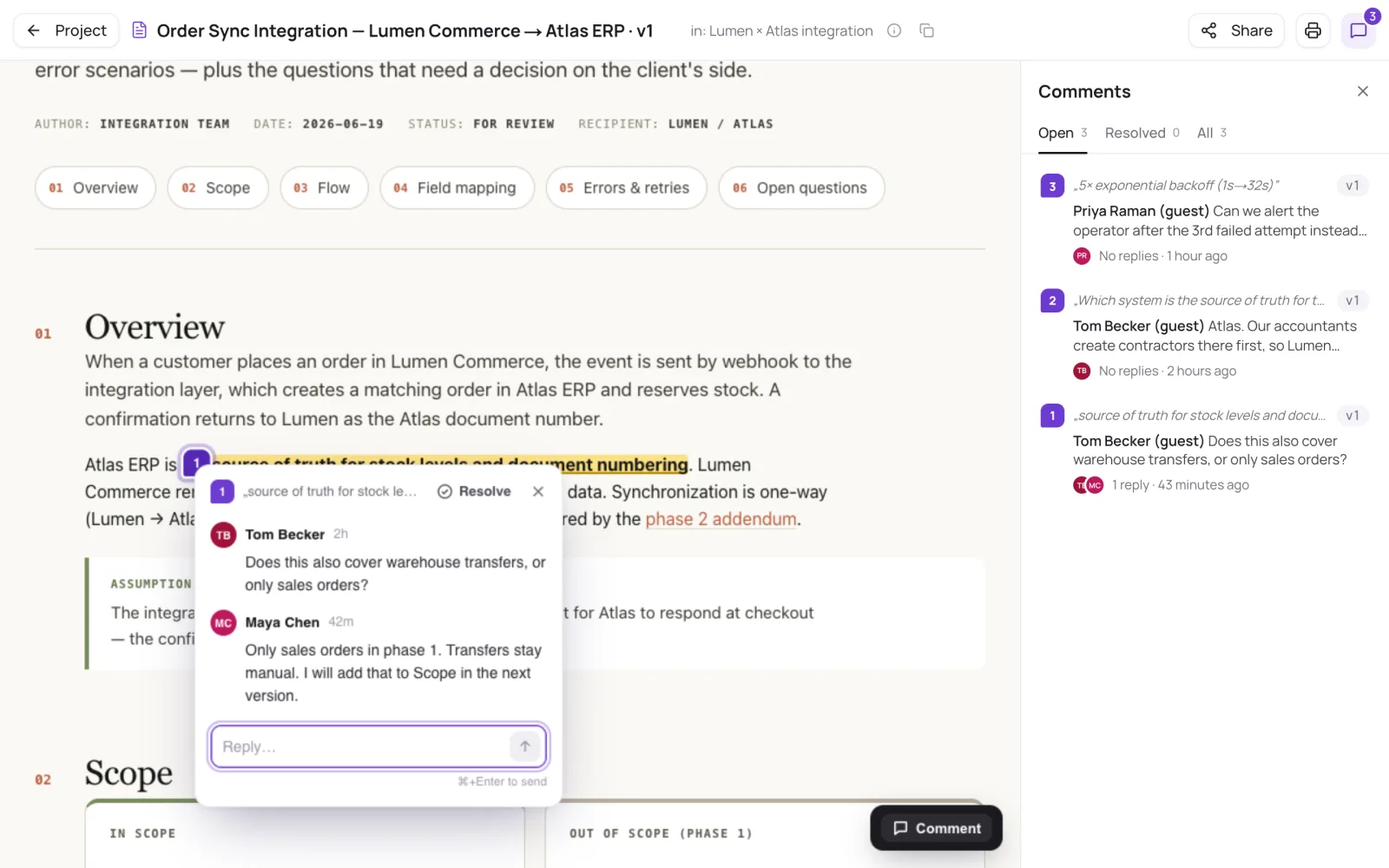
In the viewer, click Share to create a public link, or invite people to the project. See Share a document.
4. Collect comments
Reviewers turn on Comment at the bottom right of the document, then click an element or select text and write their note. Every comment thread gets a number, and you see the same number in the app and in your agent. See For reviewers.
5. Address the comments
Ask your agent: "Address the comments on this document." The agent publishes a new version at the same link. See The review loop with your agent.
Get comment emails
To hear about new comments by email, turn on Comment summaries under Settings > Profile. Markloop then sends one email per document after reviewers stop commenting for a while, not one email per comment. People you invite as guests have this turned on from the start.
Upload without an agent
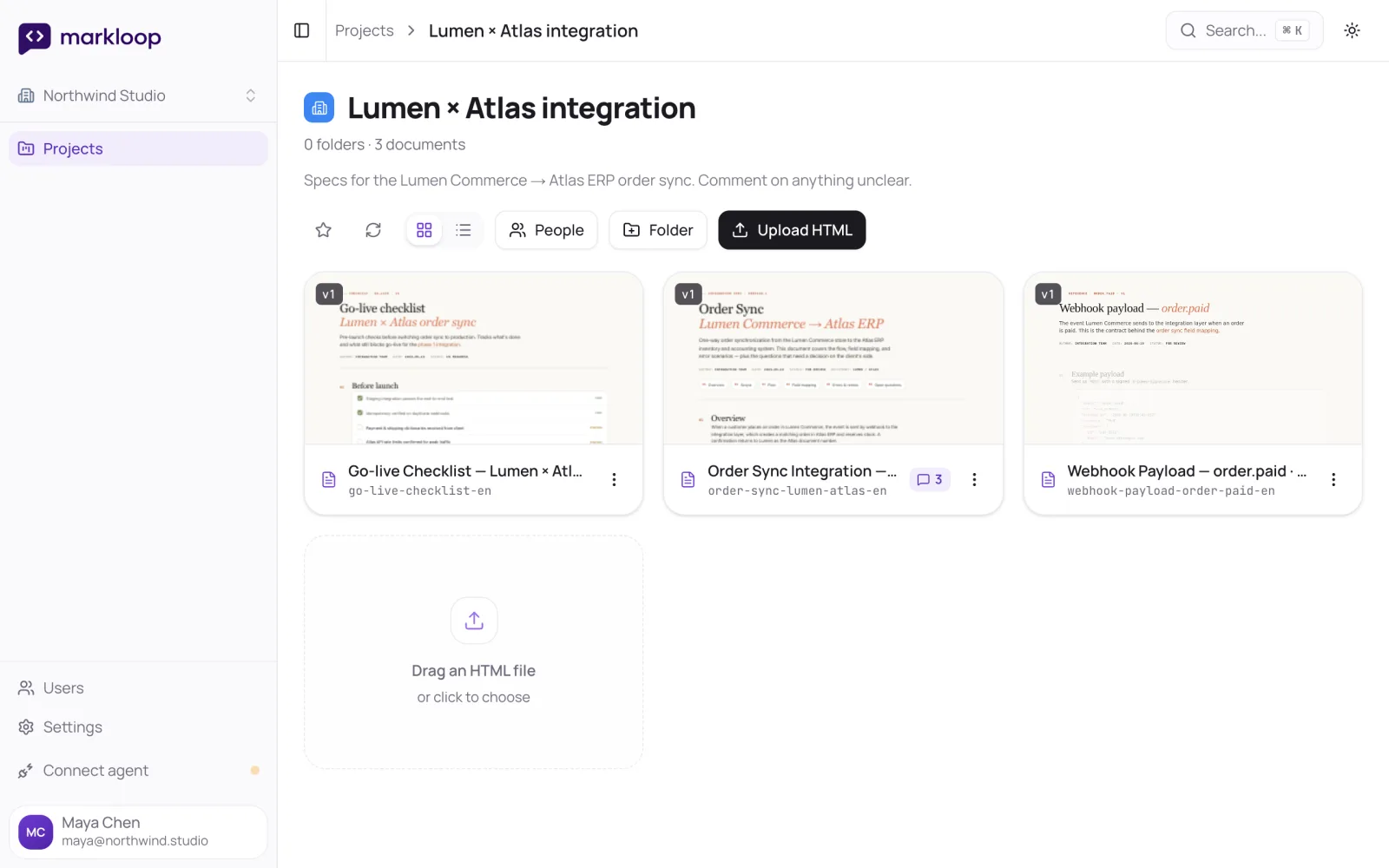
You can also add a document in the web app. Open a project and click Upload HTML, or drag an HTML file into the project. The web app accepts HTML files.
Next steps
- Connect your AI tool: setup for each client.
- The review loop with your agent: what the agent does at each step, with example prompts.
- Share a document: links, invitations and roles.
- For reviewers: a page to send to the people who comment.
- Changelog: what changed.